How do I connect a Meta pixel to my ad account?
How to fix the Meta Ads error: Your ad account needs access to this pixel.
Your Account Needs Access to This Pixel
Meta is showing this error because the ad account does not have permission to use the selected Meta Pixel.
What It Means
The ad account is trying to run or edit ads using a pixel it cannot access. This usually happens when the pixel belongs to another Business Portfolio, was not assigned to the ad account, or permissions were removed.
How to Fix It
- Open Meta Business Settings.
- Go to Data Sources → Pixels.
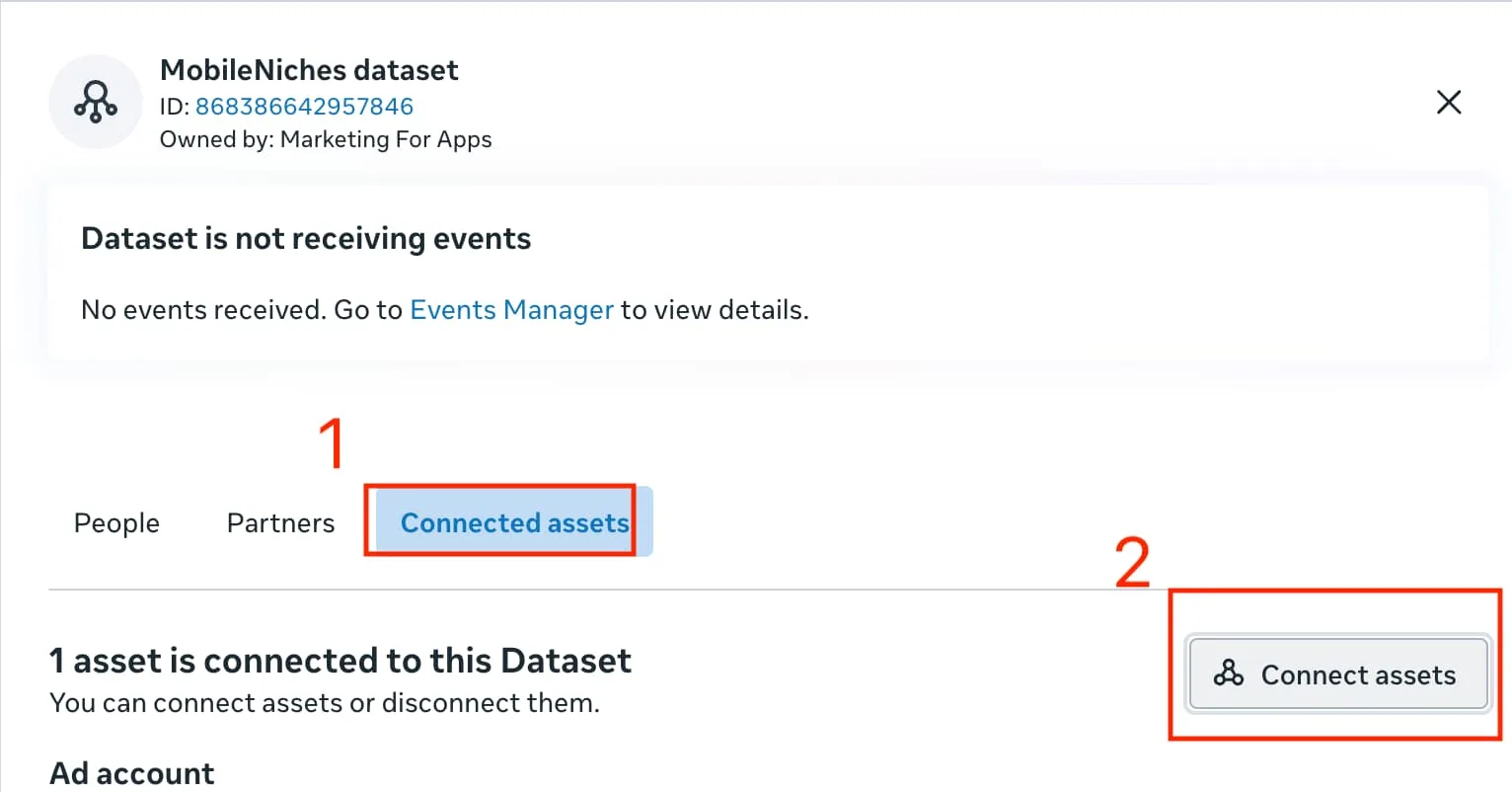
- Select pixel.
- Open Connected Assets or Assign Assets.
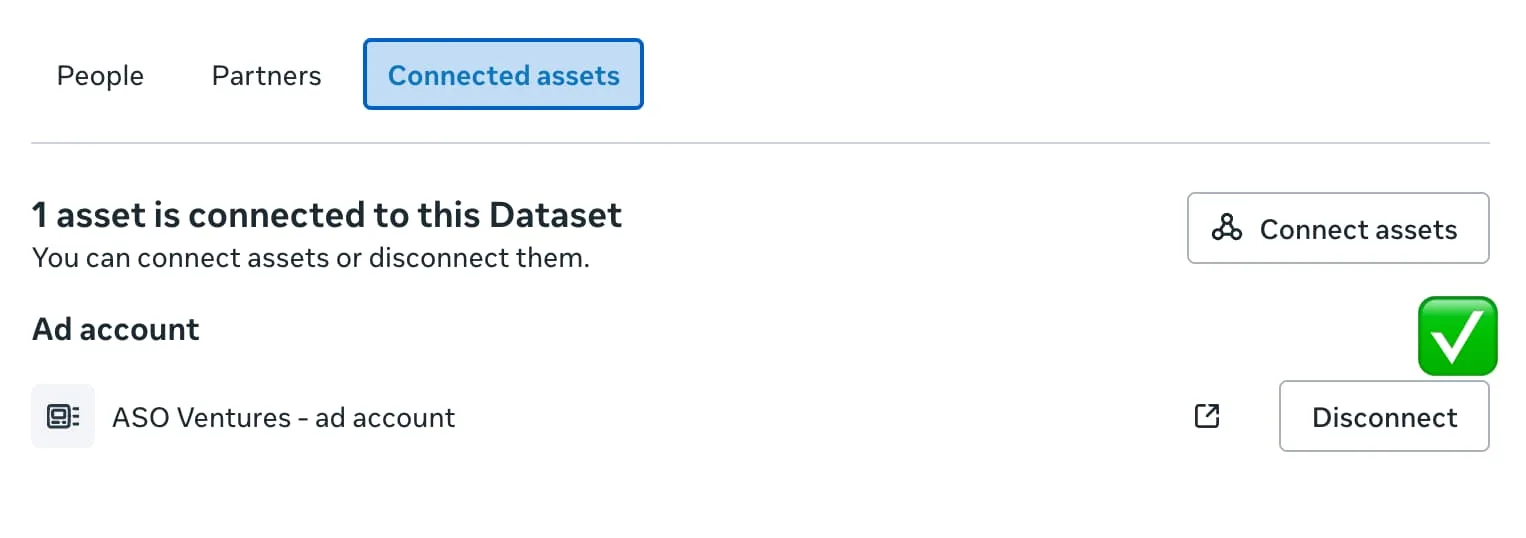
- Assign access to ad account.
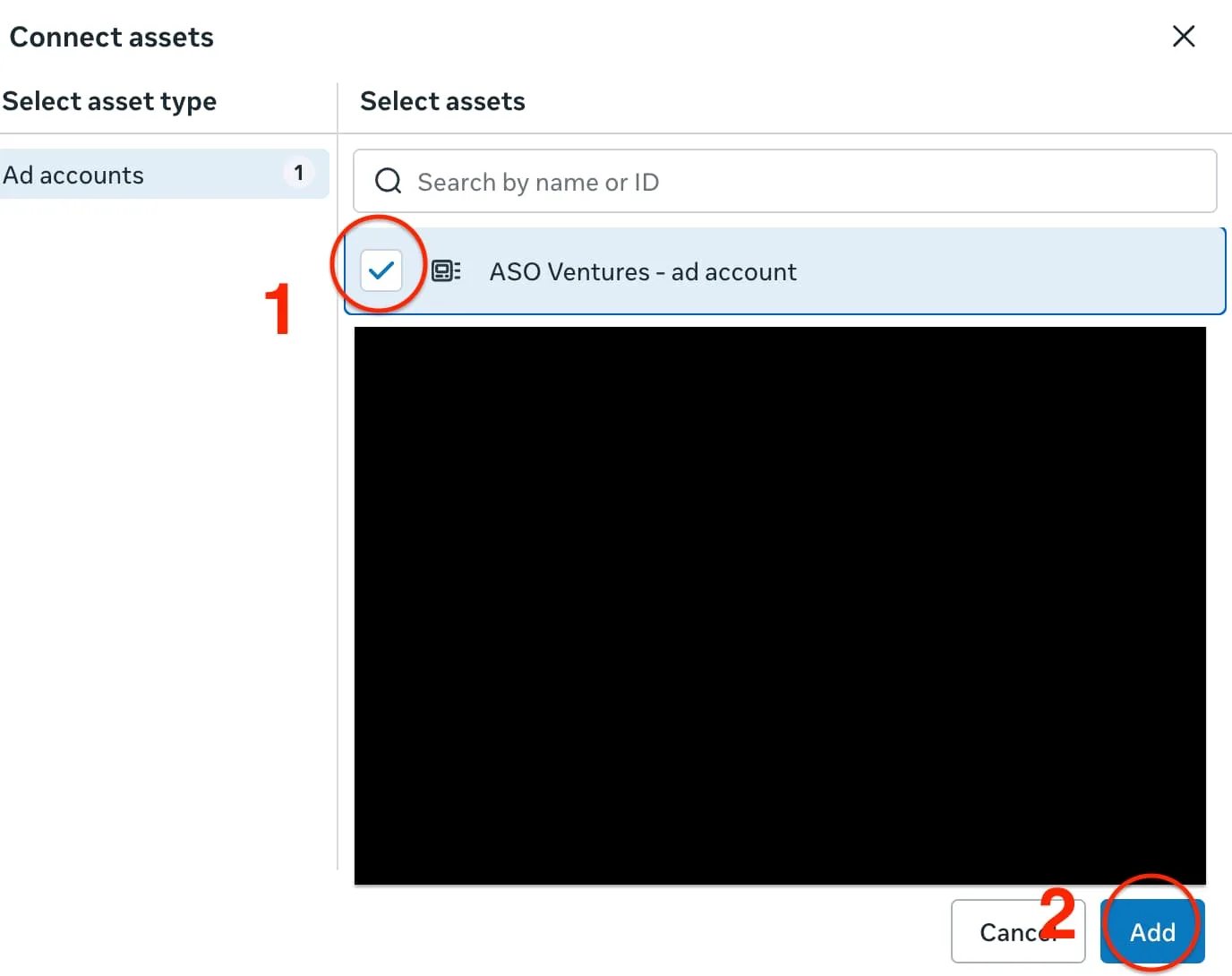
- Make sure the ad account has the correct permissions, such as Manage Pixel or Full Control.
If the Pixel Belongs to Another Business
The business that owns the pixel needs to share it with your business or ad account.
They should:
- Open Business Settings.
- Go to Data Sources → Pixels.
- Select pixel.
- Choose Assign Partner, Share, or Connected Assets.
- Grant access to your business or ad account.
Common Causes
- The pixel belongs to another Business Portfolio.
- The ad account was recently moved or shared.
- The wrong business is selected in Meta Business Settings.
- A partner or admin removed access.
- The pixel was created under a personal account instead of the business.
Quick Check
Open Meta Events Manager and confirm which business owns pixel. Then make sure ad account is listed as a connected asset.
Free starter guide
Ship your first Apple Ads campaign in 2 hours.
Most guides make Apple Search Ads sound like a project. It's not. This is the exact setup I use with every new client: campaign structure, keyword match types, starting budget. Two hours, start to finish, no agency jargon.
One email. Unsubscribe anytime.
Keep reading
I can't add a Payment method to my Meta Ad account and it was blocked [Solved]
How to fix a blocked Meta Ad account by adding and assigning a valid payment method.
How to Give Access to Add a Payment Method to Your Meta Ad Account
A simple guide to granting the right Meta Business permissions for billing and payment access.
Marketing For Apps vs Udonis: Which Fits Your App Better
Multi-channel scale vs a narrower, direct specialist for Apple Ads and Meta Ads.
Apple Search Ads vs Meta Ads: Which One Should You Run First
The honest answer depends on what your app needs to prove, not which platform is better.