What Does 'Ads Off' Mean in Meta Ads?
A simple guide to understanding the 'Ads Off' status and restoring ad delivery in Meta Ads Manager.
Why Are My Ads Off?
If your Meta Ads campaign shows "Ads Off", it simply means that there are no active ads inside the campaign.

In Meta Ads Manager, campaigns, ad sets, and ads each have their own on/off switch. Even if your campaign and ad sets are turned on, the ads themselves can still be turned off.
A common reason for this is when an ad gets rejected. In some cases, Meta automatically turns off the affected ads. After fixing the issue or once the ad is approved again, you may need to manually turn the ads back on.
How to Turn Your Ads Back On
- Open Ads Manager.
- Select the campaign showing "Ads Off".
- Go to the Ad Sets tab and select all ad sets within the campaign.
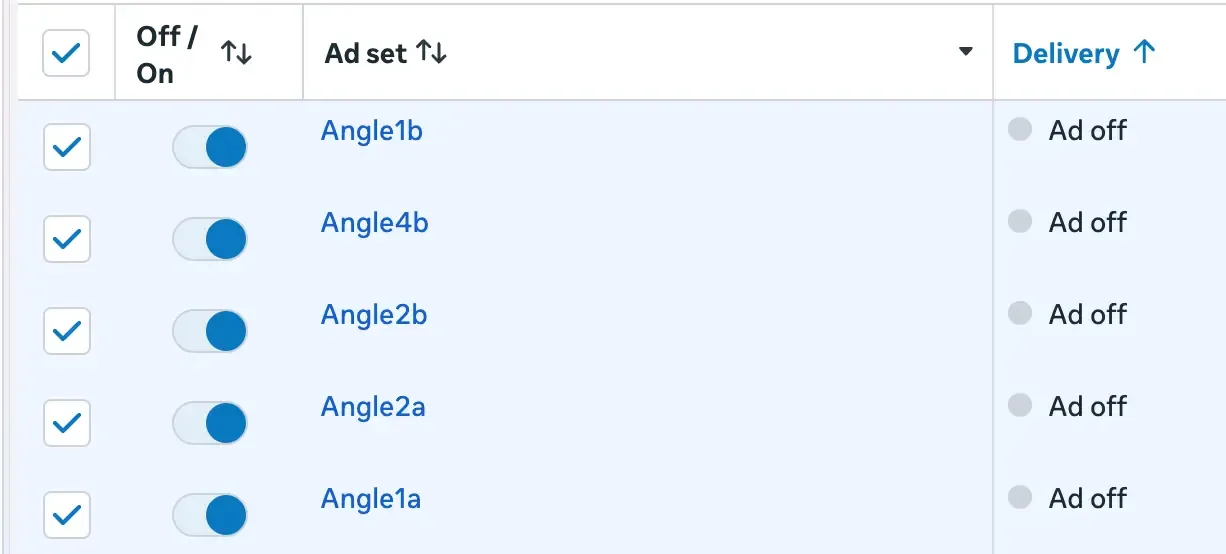
- Click the Ads tab.
- You should now see all ads from the selected ad sets listed together.
- Turn each ad back on using the toggle switch.
Turn All Ads On at Once With Bulk Actions
If you have many ads, you can usually enable them in bulk:
In the Ads tab, select all ads.
Click Turn On or use the bulk actions menu as the next image shows.
Confirm the action.
This will activate all selected ads at the same time, making it much faster than turning them on one by one.
Note: If the ads still do not deliver after being turned on, check whether they are under review, rejected, or affected by account spending limits.
Free starter guide
Ship your first Apple Ads campaign in 2 hours.
Most guides make Apple Search Ads sound like a project. It's not. This is the exact setup I use with every new client: campaign structure, keyword match types, starting budget. Two hours, start to finish, no agency jargon.
One email. Unsubscribe anytime.
Keep reading
How do I connect a Meta pixel to my ad account?
How to fix the Meta Ads error: Your ad account needs access to this pixel.
I can't add a Payment method to my Meta Ad account and it was blocked [Solved]
How to fix a blocked Meta Ad account by adding and assigning a valid payment method.
How to Give Access to Add a Payment Method to Your Meta Ad Account
A simple guide to granting the right Meta Business permissions for billing and payment access.
Marketing For Apps vs Udonis: Which Fits Your App Better
Multi-channel scale vs a narrower, direct specialist for Apple Ads and Meta Ads.